There are numerous free PDF reader apps that work considerably well for Android mobile devices and tablets, but these are the best five you should consider.
They all work very perfectly well and are absolutely free to use, but I’ll recommend the ones you should consider in certain conditions.
1. Foxit PDF Editor
This is one of the most popular PDF readers for Android. Over 10 million users have it on their devices, and 92 of every 100 of those users say the app is great to use.
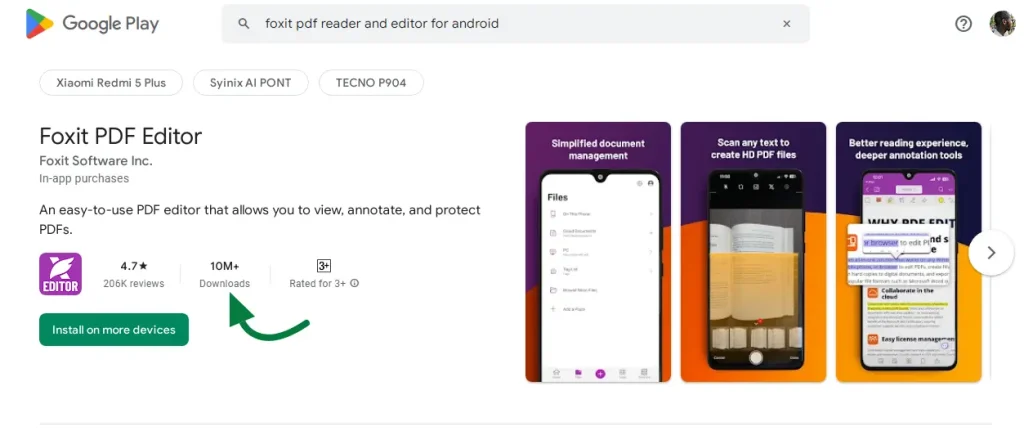
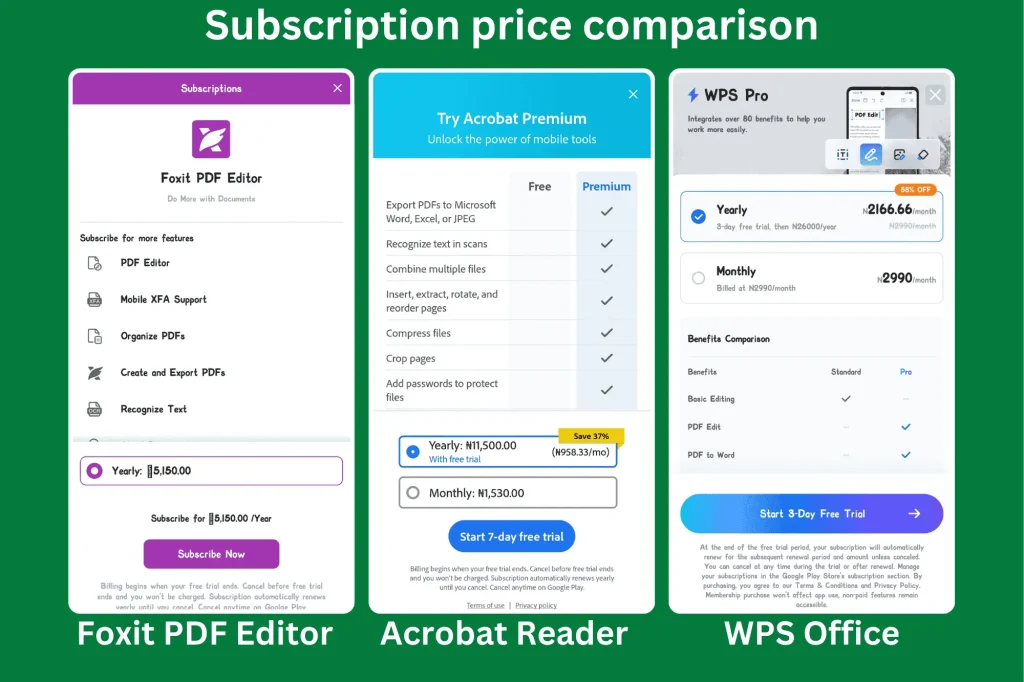
Although I only read books on this app, it’s capable of more than that if you’re willing to spend on its premium package, which I have no interest in.
This is a heavy app, so readers with a low-end Android device will experience glitches with using it to read.
Foxit PDF viewer is not my favorite, as I prefer to use other PDF readers interchangeably, and that’s next.
2. WPS Office
I’ve been using WPS Office for over 5 years on my Android tablet to read books, and recently on an Android mobile device, I’ve never had any hiccups using it. Download for free here.
Look, I want to read as many books as possible, and bookstores in Ibadan were unable to keep up with my books of interest. Fortunately, those books are most time found online in PDF or ePub format. WPS Office has always been my go-to for reading PDFs.
It is also capable of document editing for formats like .docx and conversion of all office documents to other notable file formats. Students use it all the time for their mini school projects, and their reviews of the app are always positive.
From an editing standpoint, this offers so much more for free than most PDF readers/editors for Android. Its only downside is that to have access to these free features, you have to sign in. There’s also an online version and an app for PC, Mac, and iOS.
Major books I’ve read cover to cover with WPS Office include:
- Umar Ibn Khattab (2 vols) by Dr. Alli M. Sallabi
- The Power of Habits by Charles Duhigg
- The Third Reich at War by Sir Richard J. Evans
Despite all my love for this Android app, another PDF reader is about to run it over as my favorite. We’ll discuss that next.
3. Adobe Acrobat Reader
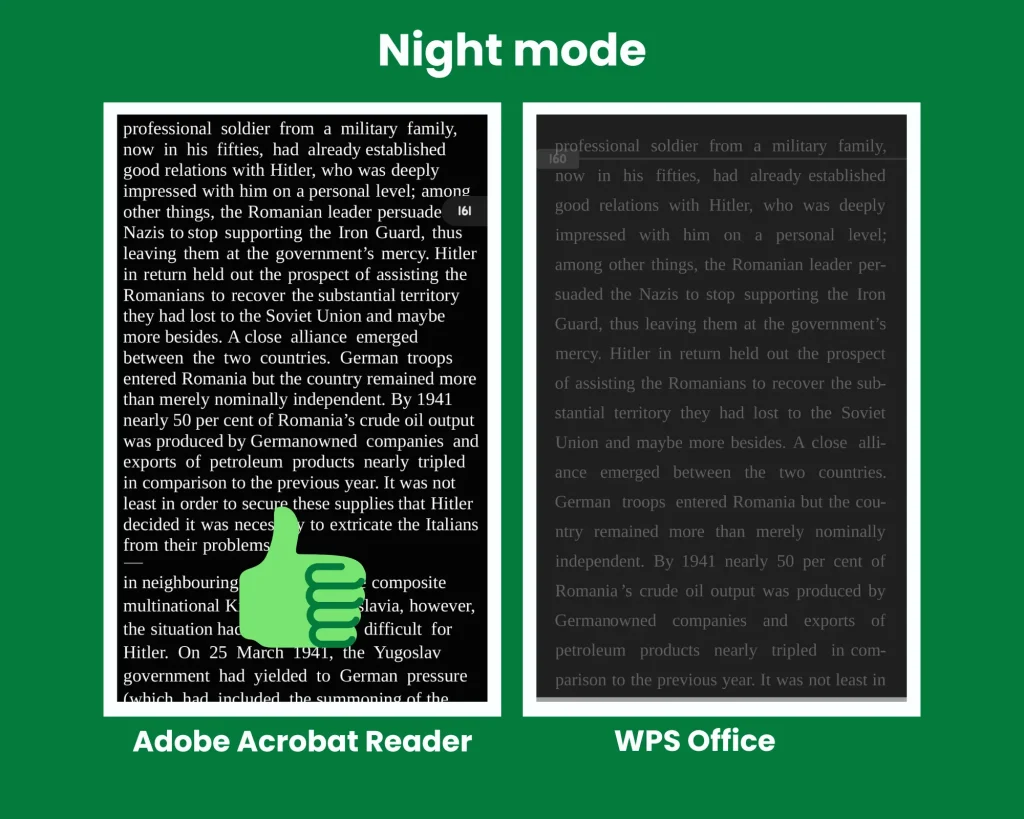
I’ve just used Acrobat Reader, and it has changed the way I read on my Android device at night. Get it for free here.
The best way to read on these apps is offline. This way, you automatically avoid frequent ads and distractions from other social media apps.
The read-aloud feature is another interesting feature that comes free with this app. In trying to use it, though, you have to have the internet. But you wouldn’t want to use it, because it’s not good, just like in WPS, only that works offline.
While viewing the PDF file in reading mode, you can’t interact with the text. That is to say, you cannot copy text, underline, or highlight. You should keep that in mind.
4. Xodo All PDF Editor and Reader
This is another PDF reader to consider, as it has been downloaded by tens of millions of Android users with high positive ratings.
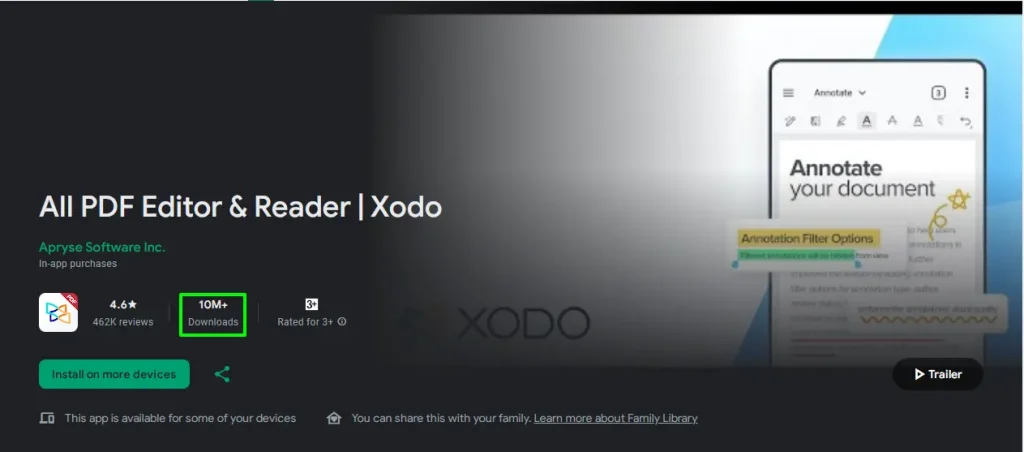
I found it very similar in features to that of the Foxit PDF Reader app, but just smoother. Download it here.
5. Google PDF Viewer
You should not think of where to download this app. It comes with your new Android device.
Millions of Android users won’t need an extra PDF reader app on their smartphone because this is always ready to be used.
This follow-come PDF reader is not capable of any extra features. Those are left for the likes of Adobe.
Note: You should always favor reading a paper book over reading on any device. Use a PDF reader only when it’s necessary. With that, you’ll maximize focus and minimize distraction.
Which PDF reader do you use often?

My co-worker Aurthur has one of these. He says it looks white.
This is a really good product.
It only works when I’m Argentina.